High-Volume WSI Scanner: Runs Per Day, Not Slide Speed

Choosing a high-volume WSI scanner often comes down to a single number on a spec sheet: how fast it can scan one slide. That number rarely reflects what happens in a busy lab, where hundreds of slides move through in a day.
Slide handling, focus consistency, and image quality matter as much as raw speed, and sometimes more. This post covers how the MoticEasyScan Infinity was built around a different measure of throughput, and what that means for labs evaluating a high-volume digital pathology scanner.
For years, digital pathology has promised a simple idea: capture the whole sample as a single image and unlock everything that follows from it. The concept has been on the table since engineers first solved whole slide image stitching nearly two decades ago, and it continues to gain ground as pathology follows the path radiology took toward fully digital workflows.
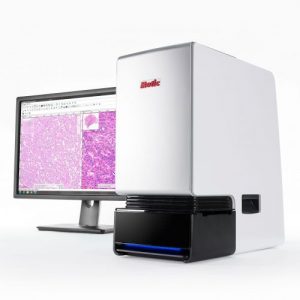
Motic built its reputation helping labs install and run entry-level scanners with ease. As lab needs evolved toward higher volume, the first generation MoticEasyScan Infinity 60 was developed to meet it. The platform has since become the only upgradeable slide scanner on the market, spanning the MoticEasyScan Pro24 and Infinity Pro100. A lab can start with a 24-slide capacity instrument and add a simple upgrade kit later to reach 100 slides, scaling capacity without replacing hardware.
Slide handling, focus consistency, and image quality matter as much as raw speed, and sometimes more. This post covers how the MoticEasyScan Infinity was built around a different measure of throughput, and what that means for labs evaluating a high-volume digital pathology scanner.
What High Throughput Actually Means in a Busy Lab
The digital pathology scanner industry has long measured performance one way: per-slide scan speed, typically benchmarked against a standardized 15mm x 15mm tissue sample. It’s an easy number to put on a spec sheet, and it has shaped how pathology imaging systems get marketed for years.
The problem is that speed on a standard sample says little about performance across the full range of tissue types a lab processes. A scanner that handles 88 out of 100 slides quickly while failing on the remaining 12 hasn’t finished the job.
A more accurate metric is Digital Slides per Work Week. This measures how many slides get scanned, reviewed, and released in a real operating day, not just how fast one slide moves under the objective.
The Problem With Big Box Scanners
Much of the digital pathology industry has been shaped by a simple calculation: faster scanning and larger onboard capacity make for a stronger spec sheet. Vendors built machines designed to load entire batches at once, with speed as the primary design goal.
Bigger cabinets, larger slide capacity, and faster stage movement didn’t address a more basic problem, which is that not every difficult slide scans successfully on the first pass. As big box scanners pushed harder on speed and capacity, day-to-day workflow and user experience were often left behind. This is a familiar gap for anyone evaluating pathology lab equipment built around a single throughput number.
Runs Per Day: a better throughput metric
Calculating slides per week starts with a better metric than per-slide scan speed. Rolling per-slide speed into a larger measure called runs per day gets closer to the full picture. Runs per day tracks how many times a lab can load a rack, successfully scan it, unload it, and move to the next batch without losing an image, in a single working day.
That last detail, without losing an image, matters more than it might seem. A missed image caught mid-morning is usually easy to resolve, since the technician can locate the slide, rescan it, and route it out before the batch moves on. A missed image discovered after lunch often means the scanner sits idle overnight, waiting on one or two slides before the batch can be released.
Barcode routing helps, but some special stains don’t include barcodes or have them printed correctly. Manual intervention is often required to route thousands of glass slides per week to their intended destinations. Labs running a big box scanner operation would routinely lose entire days when a single slide in a 500-slide batch needed manual intervention. This is a key reason many big box scanners struggle to average five runs per week.
The assumption behind a 30-second slide scanner is that it runs nonstop, producing two slides per minute all day, every day. In practice, benchmarking the MoticEasyScan Infinity against several leading digital pathology vendors found that high-capacity systems typically achieve 0.5 to 0.75 runs per day. A 500-slide capacity scanner tends to produce roughly 1,500 digital slides per week once technician processing time is factored in.
The MoticEasyScan Infinity, with 60-slide capacity, was measured at roughly 1,000 slides per week per unit. Because smaller batches are easier to manage and cycle through, two Infinity 60 units can outproduce a single 500-slide scanner across a work week. Labs aiming to scan 1,000+ slides per week often find that smaller, faster-cycling batches get there more reliably than one large-capacity machine.
Say No to Pre-Scan Preparation
Big box scanners typically require checking focus and preparing each slide before a batch runs. The Infinity’s separate focusing camera detects tissue and sets focus automatically, so technicians can load a tray and move on. There are no manual pre-scan focus checks and no tedious preparation step before every run.
Industry-First Smart Tray Technology
A key part of that efficiency is the Infinity’s industry-first Smart Tray design. Barcoded trays let technicians locate and view any digital slide in a completed batch immediately, without cross-referencing a separate system or searching through the scanner itself.
This removes a common bottleneck, since technicians no longer need to keep physical slides inside the scanner to match them to their digital image. That constraint alone can limit a big box scanner to one run a day, because hands-on technician time, not the hardware, becomes the limiting factor. MoticEasyScan was designed to minimize hands-on lab time by solving the common, daily problems technicians actually encounter.
Application support: EDF and Z-stack
For samples where z-plane information matters, the Infinity supports full z-stack scanning, sampling in one-micron increments across a slide’s full thickness. This is useful for cytology, where both intracellular detail and extracellular texture need to be visible.
For workflows focused on counting rather than texture, Extended Depth of Field (EDF) mode samples fewer layers and merges them into a single flat image, producing a sharper composite better suited to image analysis and quantitation.
Objective lens and magnification
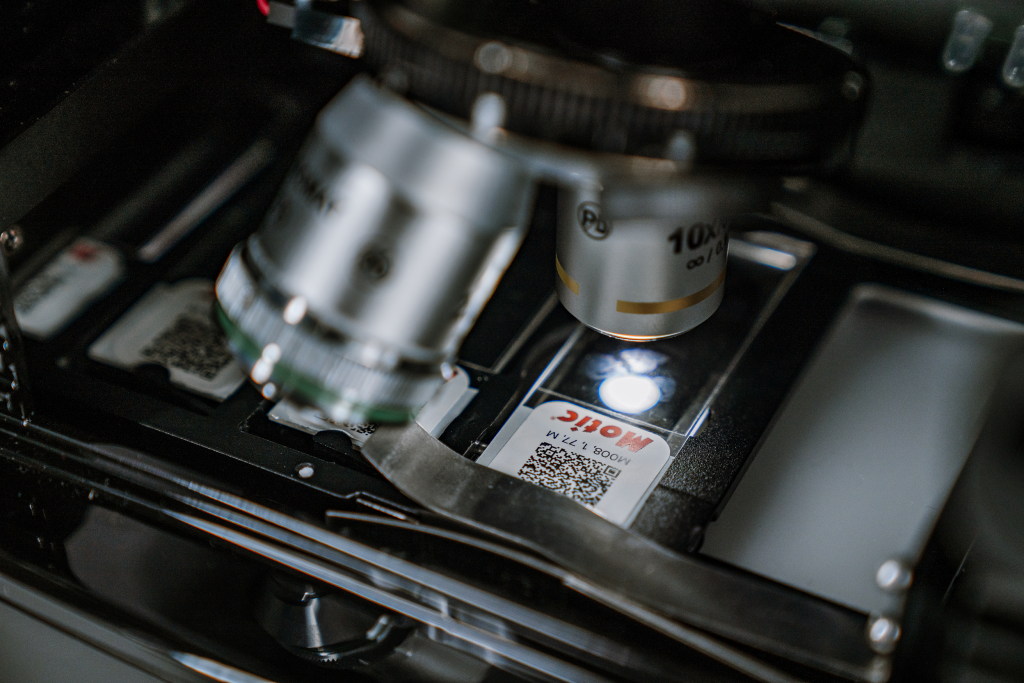
Motic has produced objective lenses in-house since its founding over thirty years ago, a background that continues to inform its whole slide scanner and histology scanner lens design today.
Lens choice matters beyond current workflows. Tissue banks hold decades of samples that may inform future research, and many labs originally scanned at 20x are now re-scanning those collections at 40x as storage costs drop and higher-resolution scanners become more accessible. Choosing an objective with room to scale supports long-term archival value, not just immediate scanning needs.
Resolution and focus methods
Resolution numbers only hold up if focus stays consistent across an entire slide, not just at a single point. Tissue thickness and mounting vary from sample to sample, which makes reliable autofocus across the full scan area as important as the objective lens itself. As a whole slide scanner for pathology, the Infinity’s lens and focus system is engineered to hold that consistency across a full slide, supporting the accurate, repeatable imaging needed for downstream image analysis and quantitation.
This matters most in edge cases, such as uneven sectioning, cores of varying thickness, or tissue that sits slightly out of the objective’s working distance. A focus system built for that variability produces usable images across a full batch, not just on ideal samples.
Image quality Across Use Cases
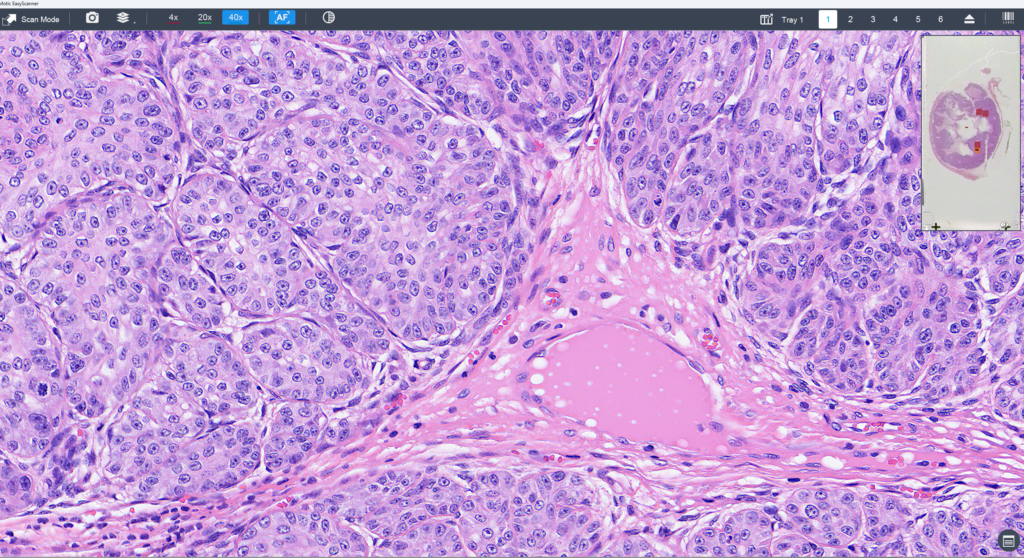
Consistent image quality across a wide range of sample types is what makes a histology slide scanner useful beyond routine review. Whether capturing a live view for time-sensitive frozen sections or producing a high-resolution image for a publication figure, the Infinity is built for flexibility across use cases, because image quality requirements differ by application. Rather than optimizing for one use case, the Infinity delivers reliable image quality across all of them, from time-sensitive clinical review to archival and publication-grade output.
That flexibility matters because image quality requirements differ by application. A frozen section reviewed live during a procedure has different demands than a static image intended for a journal figure or an image analysis pipeline. Rather than optimizing for one use case, the Infinity is designed to deliver reliable image quality across all of them, from time-sensitive clinical review to archival and publication-grade output
Cloud Platform and Integration
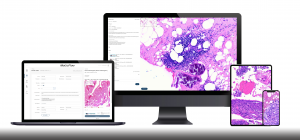
Producing the image is only half the workflow. Motic’s cloud platform provides reliable upload, case sharing, and integration with existing LIS systems, supporting real-time slide evaluation from anywhere. EasyDrive handles slide management on the platform, serving as the gateway to AI for organizing and accessing digital slide libraries as analysis needs grow more sophisticated. Annotation export, iframe embedding, and open API access support labs building their own AI pipelines or custom interfaces.
Dicom-Ready and Flexible Image Formats
Digital slide formats remain far from standardized industry-wide. The Infinity supports a range of formats, including the legacy .svs format alongside newer options like OME-TIFF, plus DICOM-ready scanning for labs standardizing around that format. This gives labs flexibility as image analysis requirements evolve.
Compact Footprint, Built to Scale
Lab space is almost always at a premium, regardless of specialty, region, or method. Few labs have room for a big box scanner requiring its own dedicated bench. Lab space is almost always at a premium, regardless of specialty, region, or method. Few labs have room for a big box scanner requiring its own dedicated bench.
The MoticEasyScan Infinity is designed so multiple units can sit on a single bench without vibration affecting image quality, a detail that matters for labs pushing 2,000 to 3,000 slides per week. Built for large labs and hospitals looking to scale up without expanding footprint, this approach makes it possible to scale a lab affordably, one Infinity unit at a time.
Add scanners, not bottlenecks. Download the Spec Sheet or schedule a consultation to see how multiple Infinity units fit your lab’s floor plan and volume.
Frequently Asked Questions
What is a high-volume WSI scanner?
A high-volume whole slide imaging (WSI) scanner is designed to process large numbers of slides per day or week reliably, not just scan a single slide quickly. Throughput depends on batch handling, focus consistency, and how easily a lab recovers from a failed scan, not just per-slide speed.
How is scanner throughput actually measured?
The most accurate throughput metric is digital slides produced per work week, calculated from runs per day, which tracks how many times a lab can load, scan, and unload a batch without losing an image, rather than per-slide scan speed alone.
Does the MoticEasyScan Infinity support DICOM?
Yes. The Infinity offers DICOM-ready scanning alongside .svs and OME-TIFF formats, giving labs flexibility as they standardize image formats.
Can multiple Infinity units run in the same lab space?
Yes. Multiple Infinity units can sit on a single bench without vibration affecting image quality, allowing labs to scale capacity without expanding footprint.
Does the Infinity require pre-scan preparation?
No. A separate focusing camera detects tissue and sets focus automatically, which eliminates manual pre-scan focus checks before a batch runs.
Ready to See What High-Volume Scanning Looks Like in Your Lab?
Every lab’s slide volume, tissue mix, and workflow are different, and the fastest way to know what the MoticEasyScan Infinity can do for yours is to talk it through with our team. Schedule a consultation to walk through your current throughput, see where the bottlenecks are costing you time, and find out how many Infinity units it would take to hit your target slides per week.