EasyDrive Release Note Update : Sync View
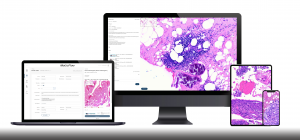
EasyDrive 1.0.1.5 : A closer look at digital slides—side by side.
Released: August 25, 2025
A Note from Our Product Manager
The utility of seeing two serial sections side by side at the same time cannot be overstated. With a microscope, you can’t really do it. The advent of whole slide imagery made side-by-side viewing possible, and it’s been in the feature set since the very beginnings of digital pathology.
Feature availability? Yes. Day-to-day reliability? Sometimes.
Most describe performance as being a little lackluster depending on what system they used. There are automated systems that work well to align most serial sections but include edge cases that go haywire. Manual systems, in theory, could work all the time—but this assumes the user tinkers quite a bit along the way to keep alignment in check and that the viewer has a smooth rotation feature.
The best user experience should achieve a balance: you never feel lost, and you don’t have to think about how to synchronize an IHC slide to an H&E. It should feel like magic. It should just work.
That’s exactly what Sync View in EasyDrive was designed to do.
A Closer Look at Sync View
Sync View brings a smoother, more reliable way to compare your digital slides side by side—removing the frustration of constant manual alignment.
With Sync View, you can:
- Place two slides side by side on your monitor for direct comparison
- Synchronize movements such as zoom, pan, and rotation so both slides respond together
- Compare H&E and IHC slides with clarity, without worrying about tissue orientation or size mismatches
- Select any two slides from the same viewing set for flexible comparisons—something traditional microscopes could never do—while keeping both fine detail and broader context in view
How Sync View helps your work
Sync View combines accuracy, reliability, and ease of use—giving you more confidence in every comparison.
- Improved accuracy: Every pan, zoom, or rotation stays in sync. The Follower slide mirrors the Leader, with flexibility to adjust manually when needed for a precise comparison.
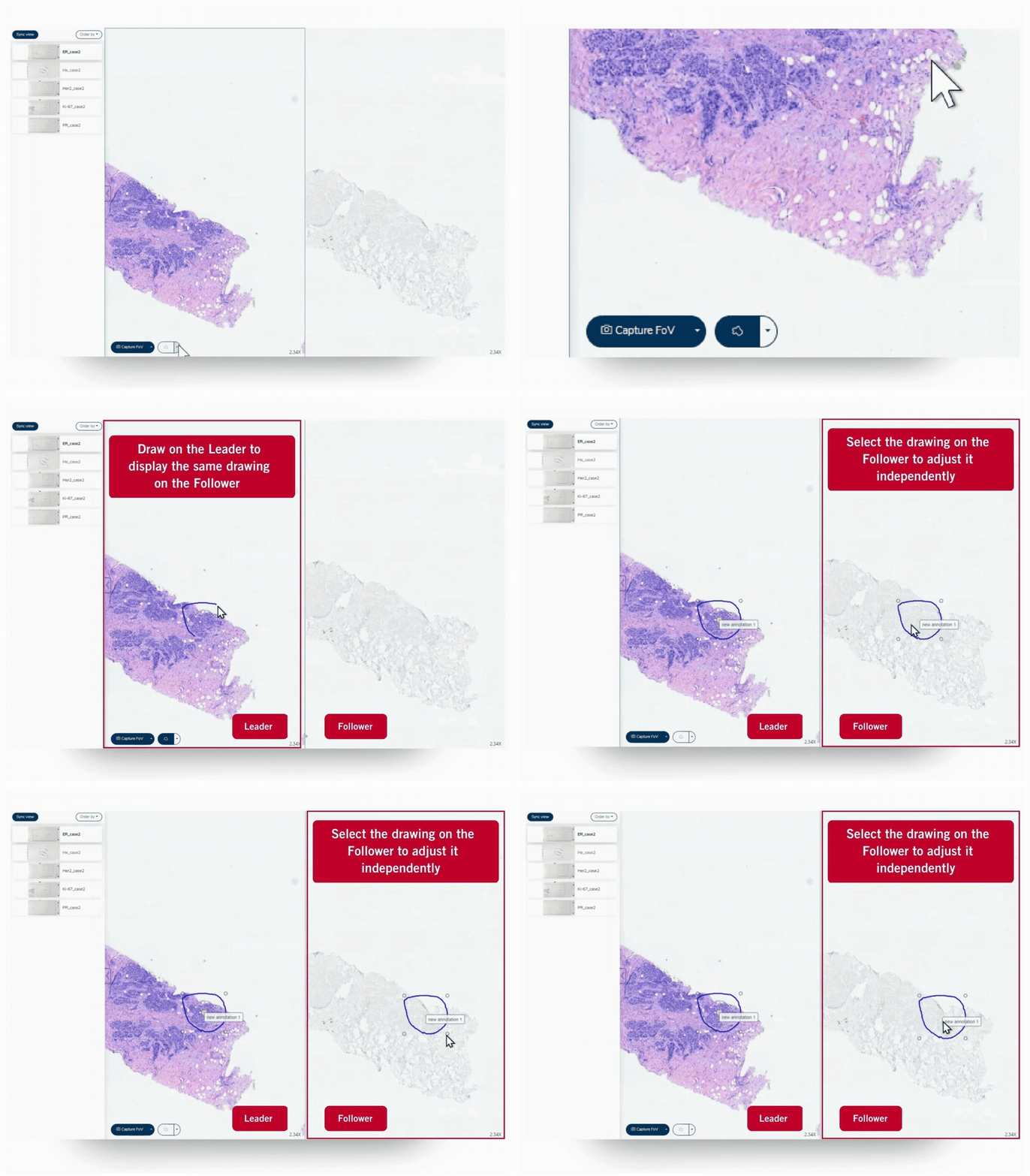
- Smarter annotations: Draw once on the Leader slide and watch it appear instantly on the Follower. No more duplicate work or guesswork.
- Better collaboration: When teaching, presenting, or sharing cases, colleagues see exactly what you see—making explanations clearer and more engaging.
- Expanded possibilities: Displaying two digital slides side by side opens up comparisons that traditional microscopes could never achieve. You can examine details while keeping a wider perspective, align different stains in the same location, and synchronize display magnifications for a smoother workflow.
- More reliable than ever: Built with EasyDrive’s “Leader Mode”, Sync View minimizes the risk of mismatches and reduces the frustration of traditional side-by-side viewers.
Using Sync View
1. Choose a Leader slide
The backbone technology of EasyDrive’s sync is called Leader Mode. The first slide you select becomes the Leader, placed on the left side of the Viewer. The Leader drives navigation—panning, zooming, and rotating—so you always stay oriented.
2. Add a Follower slide
The second slide you select becomes the Follower, shown on the right side of the Viewer. The Follower mirrors the Leader’s movements, staying in sync as you explore. And if needed, you can still adjust the Follower independently without affecting the Leader.
Key tools in Sync View
Freehand
Drawings are synchronized across Leader and Follower slides. Once created, adjustments or deletions apply only to the Follower, giving you independent control without breaking the sync.
Movement
Pan, rotate, zoom in or out—both slides stay synchronized so navigation always feels seamless.
Annotations
Create annotations on the Leader slide and see them instantly mirrored on the Follower for accurate side-by-side comparison. In Sync View, you can also enlarge or shrink annotations independently as needed.
Capture FOV
Download the Leader and Follower fields of view separately for records, teaching, or sharing.
Serial sections are rarely identical—each cut can differ in size, orientation, or even how it’s mounted. A single case with one H&E and several IHC stains will almost always bring variations in file size, controls, and regions of interest.
Sync View makes those differences easier to manage, giving you a reliable way to compare slides side by side without the constant adjustments.
If this resonates with your workflow, it’s worth seeing Sync View in action with your own slides. The Motic team can set you up with a trial account to upload a small set for demonstration.
Explore more EasyDrive updates
Want to see how Sync View fits into the bigger picture? Read the previous EasyDrive release notes to discover how each feature enhances your digital workflow:
📌 Triage – Smarter sorting, faster tagging, and seamless sharing from the moment your slides are scanned.
Read the Triage update →
📌 Library – Find your slides fast, filter by tags or scanner, and build Viewing Sets with ease.
Read the Library update →
📌 Viewer – Annotate, count, and capture confidently with tools designed for clarity and control.
Read the Viewer update →
Want to experience EasyDrive hands-on? Fill out the form below, and the Motic team will get in touch to set up your demo.